C++ If-Else-ElseIf Control Structure
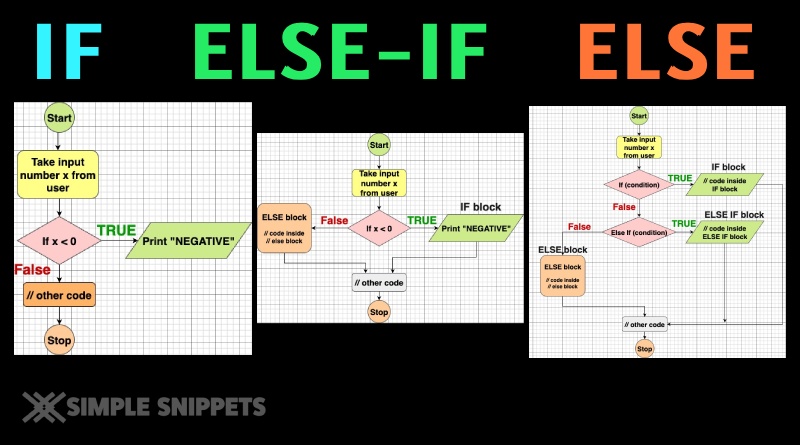
In this tutorial, we’ll learn how the if, if-else, and if-else-if control structures work in C++. These are essential tools for decision making in any program.
1. The if Structure
The if control structure executes a block of code only when a specific condition is true. If the condition is false, the block is skipped entirely. It’s optional to have an else part.
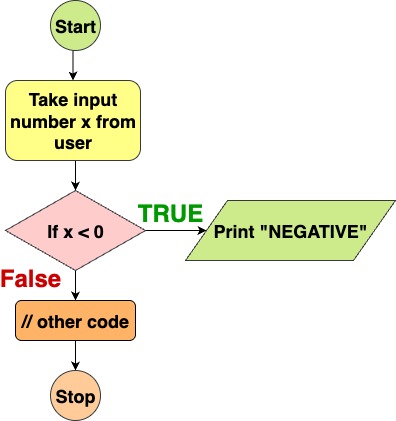
Syntax:
if (condition) {
    // statements when condition is true
}Example:
#include <iostream>
using namespace std;
int main() {
cout << "Please enter a number: ";
int x;
cin >> x;
// Check if the number is negative
if (x < 0) {
cout << "Negative";
}
return 0;
}
Explanation:
- The expression
x < 0is evaluated. - If it’s true,
cout << "Negative";runs. - If it’s false, nothing happens (the program continues).
2. The if-else Structure
When you want to handle both cases (true and false), you use if-else.
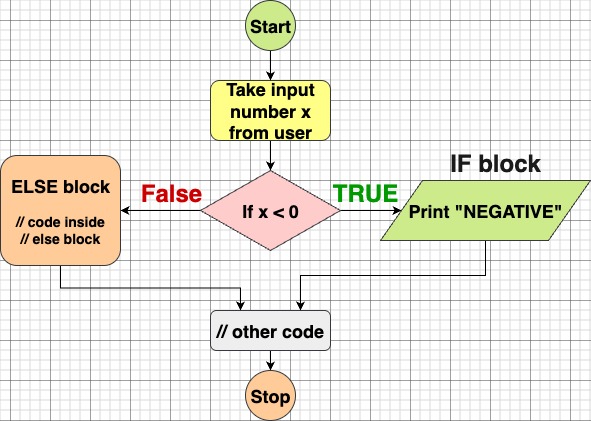
Syntax:
if (condition) {
    // statements when condition is true
} else {
// statements when condition is false
}Example:
#include <iostream>
using namespace std;

int main() {
    cout << "Please enter a number: ";
    int x;
    cin >> x;
    if (x < 0) {
        cout << "Negative";
    } else {
        cout << "The number is not negative";
    }
    return 0;
}Explanation:
- If
x < 0is true, it prints Negative. - Otherwise (when
x >= 0), it prints The number is not negative.
3. The if-else-if-else Structure
When you have multiple conditions to check sequentially, you use if-else-if. You can chain multiple else if blocks, and optionally a final else.
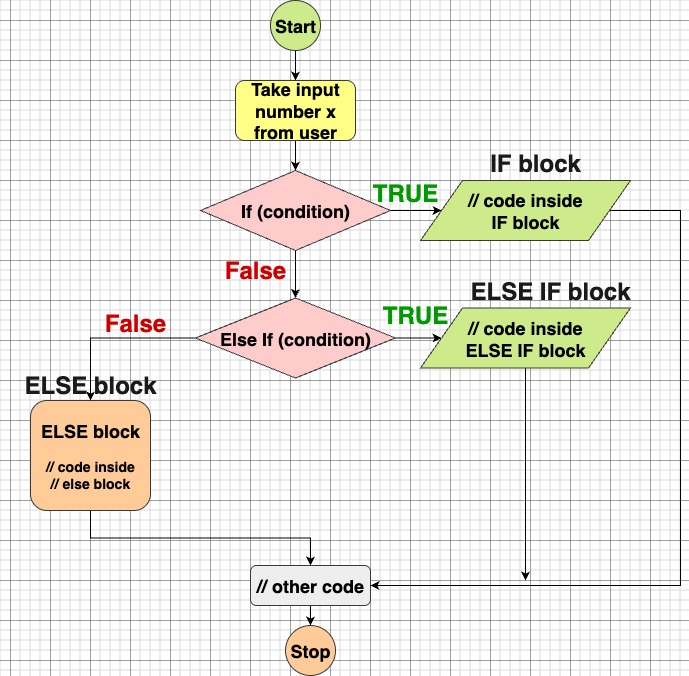
Syntax:
if (condition1) {
    // block1
} else if (condition2) {
    // block2
} else {
    // block when none of above conditions match
}Example:
#include <iostream>
using namespace std;

int main() {
    cout << "Please enter a number: ";
    int x;
    cin >> x;

    if (x < 0) {
        cout << "Negative";
    } else if (x > 0) {
        cout << "Positive";
    } else {
        cout << "The number is 0";
    }

    return 0;
}Explanation:
- Checks
x < 0. If true, prints Negative, and skips all further checks. - If not, checks
x > 0. If true, prints Positive. - If neither is true (i.e.
x == 0), executes theelseblock and prints The number is 0.
Tips & Best Practices
- Order matters: The conditions are evaluated top-to-bottom. Once one is true, the rest are ignored.
- Only one
else: You can have manyelse ifblocks, but at most oneelseat the end. - Braces
{ }are safe: Even for a single statement, always using braces avoids confusion. - Avoid deep nesting: If your logic is too nested, consider breaking it into functions or using early returns to make it cleaner.
- Don’t forget
elsewhen you want a fallback path.